
What smart features boost productivity in study timer smart devices?
- 1. How precise are smart study timers' interval measurements and how can I test or compensate for timing drift?
- 2. What battery specs and power-management features should I require for a portable smart study timer used in multi-hour sessions?
- 3. Can companion apps’ distraction-blocking actually prevent app switching and how do I set secure lockouts without blocking emergency access?
- 4. How do smart study timers’ productivity analytics balance actionable insights with user privacy and data protection?
- 5. Which connectivity—Bluetooth LE vs Wi‑Fi—is best for cross-device session sync, and what trade-offs should buyers consider?
- 6. What accessibility and localization features matter for inclusive smart study timers in international classrooms?
- Concluding paragraph summarizing the advantages of smart study timers
Smart Study Timer Buyer Guide: 6 Advanced Questions Beginners Ask
Choosing a smart study timer isn’t just about a nice display or a Pomodoro mode. Modern devices combine hardware, connectivity, analytics, and privacy controls to drive real productivity gains. Below are six long-tail, pain-point-focused questions beginners ask but rarely find fully answered online, with in-depth, actionable answers incorporating study session tracking, pomodoro timer practices, focus mode, and productivity analytics.
1. How precise are smart study timers' interval measurements and how can I test or compensate for timing drift?
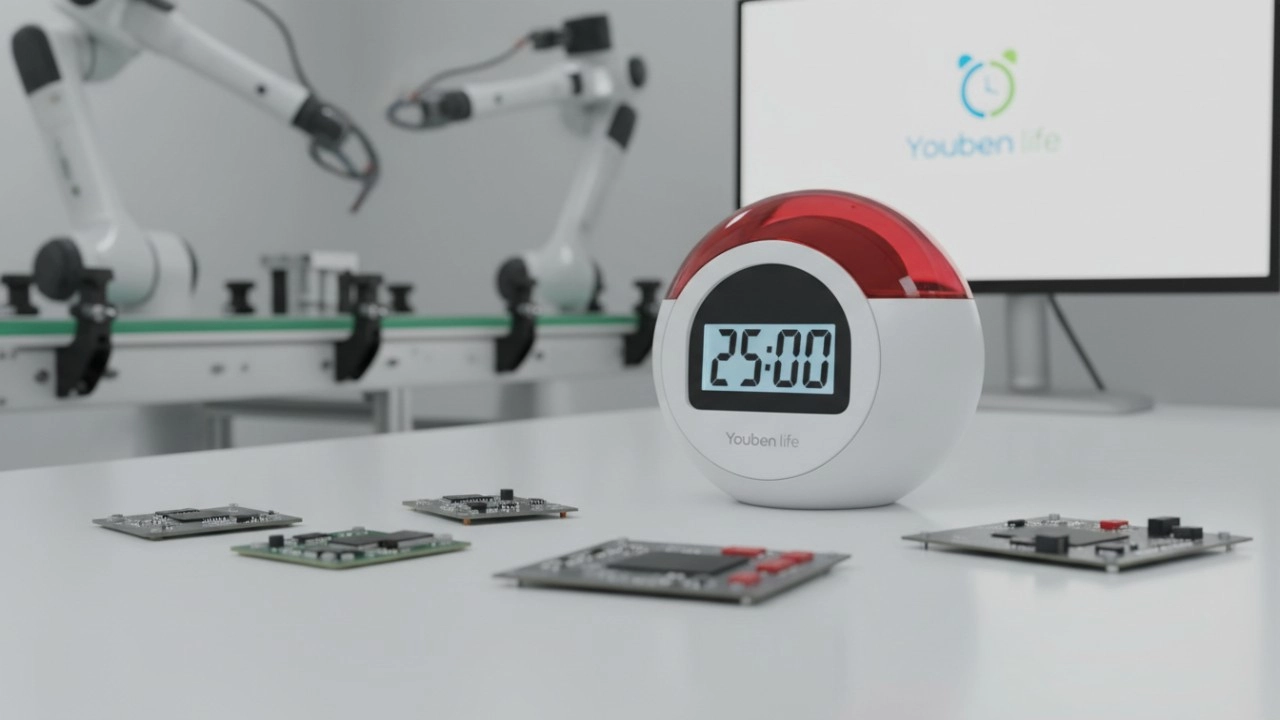
Why it matters: For disciplined techniques such as the Pomodoro method (commonly 25/5 minute cycles), even small timing drift can accumulate and disrupt routines, especially in exam preparations or timed practice tests.
Technical reality: Most battery-powered timers use a quartz real-time clock (RTC) crystal (common frequency: 32.768 kHz). Crystal accuracy is typically expressed in parts-per-million (ppm). A 20 ppm crystal will drift roughly 20 microseconds per second — approximately 1.7 seconds per day (20 ppm × 86,400 seconds = 1.728 s/day). That means over a week a basic device could be off by >10 seconds unless corrected.
How to test timing accuracy:
- Perform a simple sync test: Start the device at the same instant as an internet-synced clock (smartphone or NTP-synced webpage). Run several standard cycles (e.g., 4 × 25/5) and compare end times.
- Long-run test: Let the timer run for 24 hours and compare to an atomic-synced source; note accumulated drift.
- Firmware self-test: Check whether the companion app reports clock offset or last sync timestamp.
How to compensate or avoid drift:
- Prefer devices with periodic internet synchronization or smartphone pairing that corrects the local clock (NTP sync via Wi‑Fi or sync through phone time).
- Look for on-device firmware that allows calibration offsets (some models expose a ppm offset setting or auto-correct over repeated syncs).
- Use the companion app to correct timestamps in productivity analytics — local session times can be normalized to the phone’s clock if the device supports session upload.
- For offline reliability, choose hardware with higher-spec crystals (±5–10 ppm) or devices marketed for laboratory/precision timing.
Bottom line: Expect small daily drift in budget devices. If you need mission‑critical timing (e.g., standardized test simulations), choose products with periodic NTP/phone sync or higher-accuracy RTCs and verify with a short accuracy test before purchase.
2. What battery specs and power-management features should I require for a portable smart study timer used in multi-hour sessions?
Why it matters: Students studying on campus or commuting need predictable runtime. A timer that dies mid-session breaks focus and defeats the point of a study session tracker.
Key specs and features to evaluate:
- Battery type and capacity: Rechargeable Li‑ion/Li‑polymer batteries are standard. Capacity in mAh gives you a baseline: estimated runtime (hours) ≈ battery mAh / average device current (mA). Manufacturers should provide realistic active/standby figures.
- Power draw factors: Bright displays (LCD/OLED/LED), continuous Bluetooth or Wi‑Fi connectivity, vibration/haptics, and speakers increase current draw. Bluetooth Low Energy (BLE) is far more power-efficient for phone pairing than continuous Wi‑Fi.
- Low-power modes: Look for auto-dim, screen-off during session, or “display on demand” modes. Deep-sleep standby current (uA to low mA) matters if you don’t recharge daily.
- Charge convenience and durability: USB‑C charging, fast-charge support, and replaceable batteries help long-term usability. Verify rated charge cycles if you plan heavy use (some vendors publish cycle life).
Practical evaluation steps:
- Request measured active runtime from the vendor using a realistic profile (e.g., 25/5 Pomodoro cycles with BLE connected, vibration alerts enabled).
- Calculate using the battery formula above and add a safety margin of 20–30% for feature use (sound, brightness).
- Consider devices that let you disable high-drain features (turn off Wi‑Fi, reduce haptic intensity) to extend sessions.
Bottom line: For reliable multi-hour use, prioritize devices with efficient BLE pairing, explicit active/standby current specs, and user-configurable power modes. Always test a real-session runtime before relying on a device for long study days.
3. Can companion apps’ distraction-blocking actually prevent app switching and how do I set secure lockouts without blocking emergency access?
Why it matters: Users want true focus mode—preventing tab-switching, social-media sneaks, and games—while still preserving safety and accessibility (emergency calls, alarms).
Technical and platform limits:
- On iOS, third-party apps cannot fully block other apps system-wide; Apple’s Screen Time APIs and supervised device modes (MDM) allow stronger restrictions but typically require institutional setup.
- On Android, apps can request accessibility permissions to lock the foreground or enforce restrictions, but savvy users can revoke permissions; system-level blockers (or rooted devices) offer stronger enforcement.
- Desktop blocking is usually implemented via host/DNS-level rules, local firewall blocking, or dedicated apps (e.g., Cold Turkey, Focus) that require installation and administrative permissions.
Best practices for effective, safe lockouts:
- Use multi-layer blocking: combine device-level focus mode (or Screen Time), router-level DNS/site blocking (e.g., OpenDNS or Pi-hole), and the timer’s companion app to create overlapping barriers that are harder to bypass impulsively.
- For classroom or institutional deployment, use MDM-managed profiles to enforce app restrictions and prevent permission changes during sessions.
- Implement emergency whitelists: ensure that emergency numbers, specific urgent apps, or “allow calls from favorites” remain active. Document how to override lockouts (e.g., long‑press power) so safety isn’t compromised.
- Avoid creating lockouts that require factory resets to exit; this harms long-term trust and can create safety hazards.
Bottom line: Companion apps can greatly reduce distraction but cannot guarantee an unbreakable lockout across all platforms. For robust enforcement, combine device OS features, router-level controls, and institutional MDM where permissible. Always preserve emergency access and make override mechanisms transparent.
4. How do smart study timers’ productivity analytics balance actionable insights with user privacy and data protection?
Why it matters: Analytics (session heatmaps, time-on-task, distraction events) are valuable, but they collect behavioral data. Students and institutions are rightly concerned about what is stored, for how long, and who can access it.
Privacy-friendly architecture patterns:
- Local-first analytics: Processing sessions and generating summaries on-device reduces raw-data transmission. Only anonymized, aggregated metrics (if any) leave the device.
- Opt-in telemetry: Make analytics and cloud sync opt-in. Users should explicitly consent to session upload and be able to delete records.
- Encryption and secure transport: Use TLS (HTTPS) for data in transit and strong encryption at rest on servers. Vendors should publish security practices and compliance (e.g., SOC 2, GDPR/CCPA statements).
- Minimal data retention: Keep only what is needed for functionality (e.g., last 30–90 days of session history) and allow export or permanent deletion upon request.
What to ask vendors:
- Do you process analytics on-device or in the cloud? If cloud-based, where are servers located and what compliance standards do you follow (GDPR, CCPA)?
- Is session data anonymized/aggregated before storage? How long is raw data retained?
- Can users export and permanently delete their data? Is deletion propagated across backups?
- Which third parties have access to analytics? Any external analytics SDKs or telemetry libraries?
Bottom line: Favor timers that default to local processing, require explicit consent for uploads, and publish clear privacy and data-handling policies. These practices align with Google E-E-A-T expectations for transparent, trustworthy products and with regional data laws.
5. Which connectivity—Bluetooth LE vs Wi‑Fi—is best for cross-device session sync, and what trade-offs should buyers consider?
Why it matters: Students expect seamless session continuity between a portable timer, phone app, and desktop study planner. The connectivity choice affects battery life, reliability, sync latency, and privacy.
Bluetooth Low Energy (BLE):
- Pros: Low power consumption (suitable for long battery life), direct phone pairing without third-party servers, easy local session sync, and low-latency pairing for alerts.
- Cons: Limited range (~10–30 meters typical), single-device pairing may complicate multi-device sync, and some older phones have BLE compatibility quirks.
Wi‑Fi / Cloud sync:
- Pros: Enables multi-device cross-sync (phone, tablet, desktop) via cloud services, supports OTA firmware updates, and can sync across long distances via the internet.
- Cons: Higher power draw when Wi‑Fi is active, potential privacy exposure if sessions are stored in cloud without encryption, and dependence on vendor cloud uptime.
Trade-offs and recommendations:
- If battery life and phone-local privacy are priorities, choose a BLE-first device that offers local-session sync and optional encrypted cloud backup.
- If you require seamless multi-device history and desktop analytics, prefer devices with secure Wi‑Fi/cloud sync but check privacy practices and retention policies.
- Hybrid approach: many well-designed timers use BLE for day-to-day pairing and local sync, and optional Wi‑Fi/cloud for cross-device history and OTA updates; this balances battery life with multi-device convenience.
Bottom line: Decide whether battery longevity or multi-device cloud convenience is more important. Hybrid devices that default to BLE with opt-in cloud sync are often the best compromise for students and institutions.
6. What accessibility and localization features matter for inclusive smart study timers in international classrooms?
Why it matters: Students have diverse needs — visual/hearing impairments, language differences, or motor difficulties. A study timer that ignores accessibility will under-serve many users and fail institutional procurement checks.
Essential accessibility features:
- Haptic and visual cues: Strong, configurable vibration patterns plus high-contrast, large-font displays for low-vision users.
- Auditory alternatives: Adjustable volume alerts and the option for distinct tones or spoken prompts (text-to-speech) for users with visual impairments.
- Physical controls: Large, tactile buttons and a simple, non-menus-driven UI for those with motor-control challenges.
- Compatibility with screen readers and voice assistants: Ensure the companion app follows platform accessibility APIs and that device labels are exposed appropriately.
- Localization and multilingual UI: Full translation of app and device prompts, date/time formats, and tutorial content; consider right-to-left language support and locale-aware reminders.
- Standards conformance: Vendors citing WCAG-compatible app design or interoperability with assistive tech demonstrate stronger E-E-A-T and institutional readiness.
Bottom line: For classroom deployments or campus-wide rollouts, insist on explicit accessibility documentation, language support for your user base, and the ability to test a demo unit with accessibility settings enabled.
Concluding paragraph summarizing the advantages of smart study timers
Smart study timers bring measurable advantages: precise session tracking for deep work, customizable Pomodoro and interval modes to match study strategies, integrated distraction-blocking to preserve focus, productivity analytics for continuous improvement, and accessibility/localization that supports diverse learners. When you choose a device that balances timing accuracy, efficient connectivity (BLE + optional cloud), robust power management, and transparent privacy practices, you get a practical tool that turns fragmented study time into disciplined, data-informed sessions.
If you want guidance tailored to institutional procurement, classroom-scale deployments, or an OEM/custom hardware quote, contact us for a quote: www.youbenlife.com or info@youbenlife.com.
Contacts
Sofia
WhatsApp/Phone
All
Do you offer OEM & ODM clock services?
Yes, we provide both OEM & ODM solutions, allowing clients to customize clock design, materials, packaging, and branding.
What types of clocks can you manufacture?
We manufacture a wide range of clocks, including wall clocks, desk clocks, digital clocks, and smart clocks.
Can I customize the clock design and logo?
Absolutely. We offer customization for clock appearance, structure, materials, and logo printing to perfectly match your brand.
What is the minimum order quantity (MOQ)?
Our standard MOQ varies depending on the model, usually starting from 200–500 pieces. Custom designs may require different quantities.
How do you ensure product quality?
All clocks undergo strict quality control, including time accuracy tests, durability checks, and packaging inspections before shipment.
Interested in this article?
Let’s talk.
Need specifications, pricing, or customization options? We’ll provide everything you need.
By clicking “Submit,” you agree to share your information with our authorized team to process your request.
Your data will only be used for necessary communication and support.

Youben life
Youben life