
How to integrate digital timers for kids in classrooms and camps?
- 1. Which digital timers for kids provide a truly silent visual countdown for sensory-sensitive classrooms, and how should I evaluate them before purchase?
- 2. How can I set up multiple digital timers for kids across learning stations without Wi‑Fi or cloud services?
- 3. What durability and battery specifications should I require for digital timers used in week-long outdoor camps?
- 4. How do I implement digital timers to reduce off-task behavior and ensure equitable time for groups with different reading or ability levels?
- 5. Which kid-friendly digital timers integrate with smartphones/tablets for presets and logging while remaining screen-free for students?
- 6. How can I adapt digital timers for IEP accommodations and reliably document effectiveness for educators and camp directors?
- Concluding advantages
Digital Timers for Kids: Classroom & Camp Integration Guide
Summary: Practical, purchase-focused guidance on selecting and deploying digital timers for kids in classrooms and camps. Covers sensory-friendly visual countdowns, multi-station setups without Wi‑Fi, durability for outdoor use, behavior management, app integration, and IEP documentation.
1. Which digital timers for kids provide a truly silent visual countdown for sensory-sensitive classrooms, and how should I evaluate them before purchase?
Pain point: children with auditory sensitivities or sensory processing differences are triggered by loud chimes. You need a timer that communicates remaining time without disruptive sounds.
What to look for:
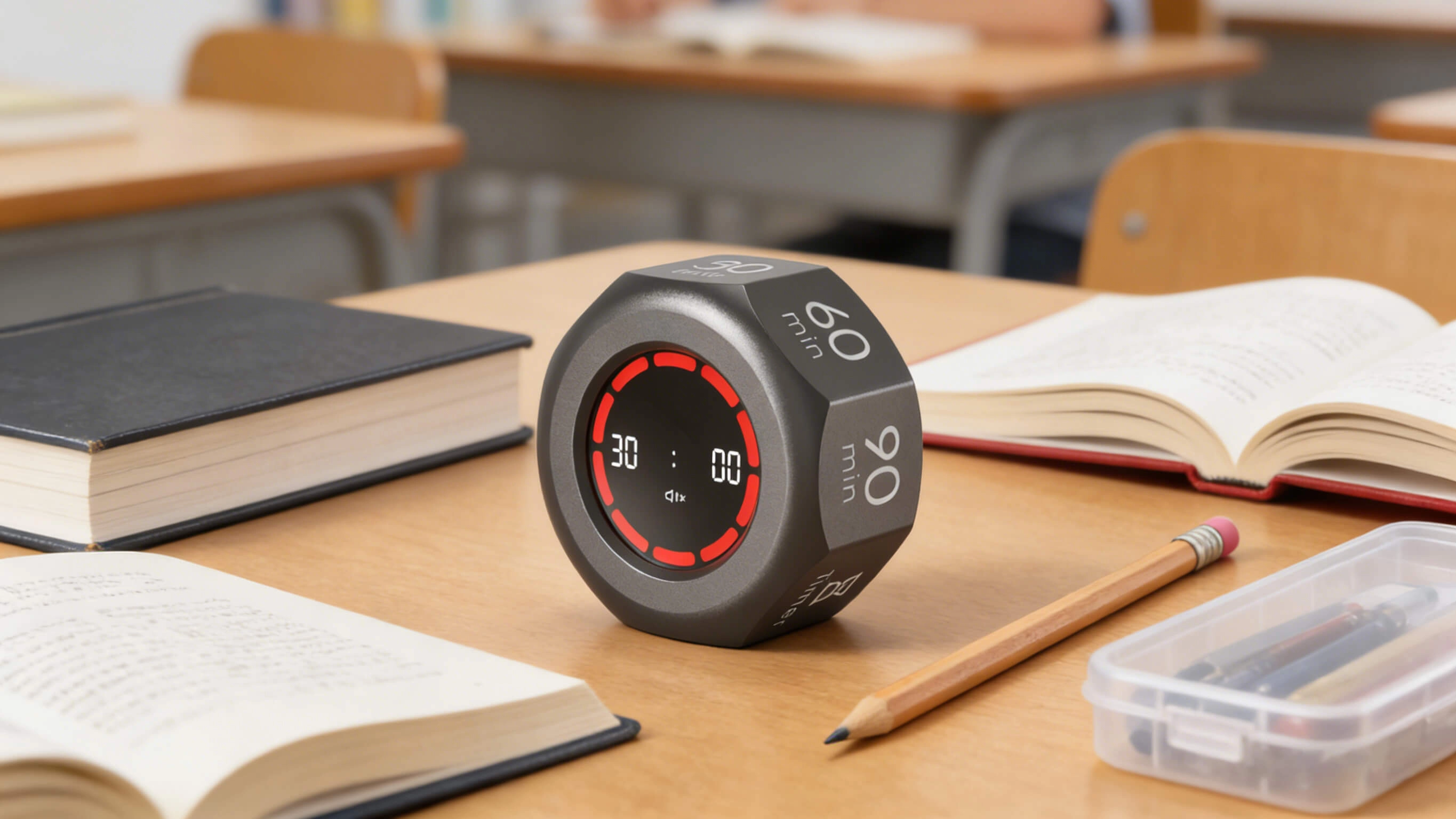
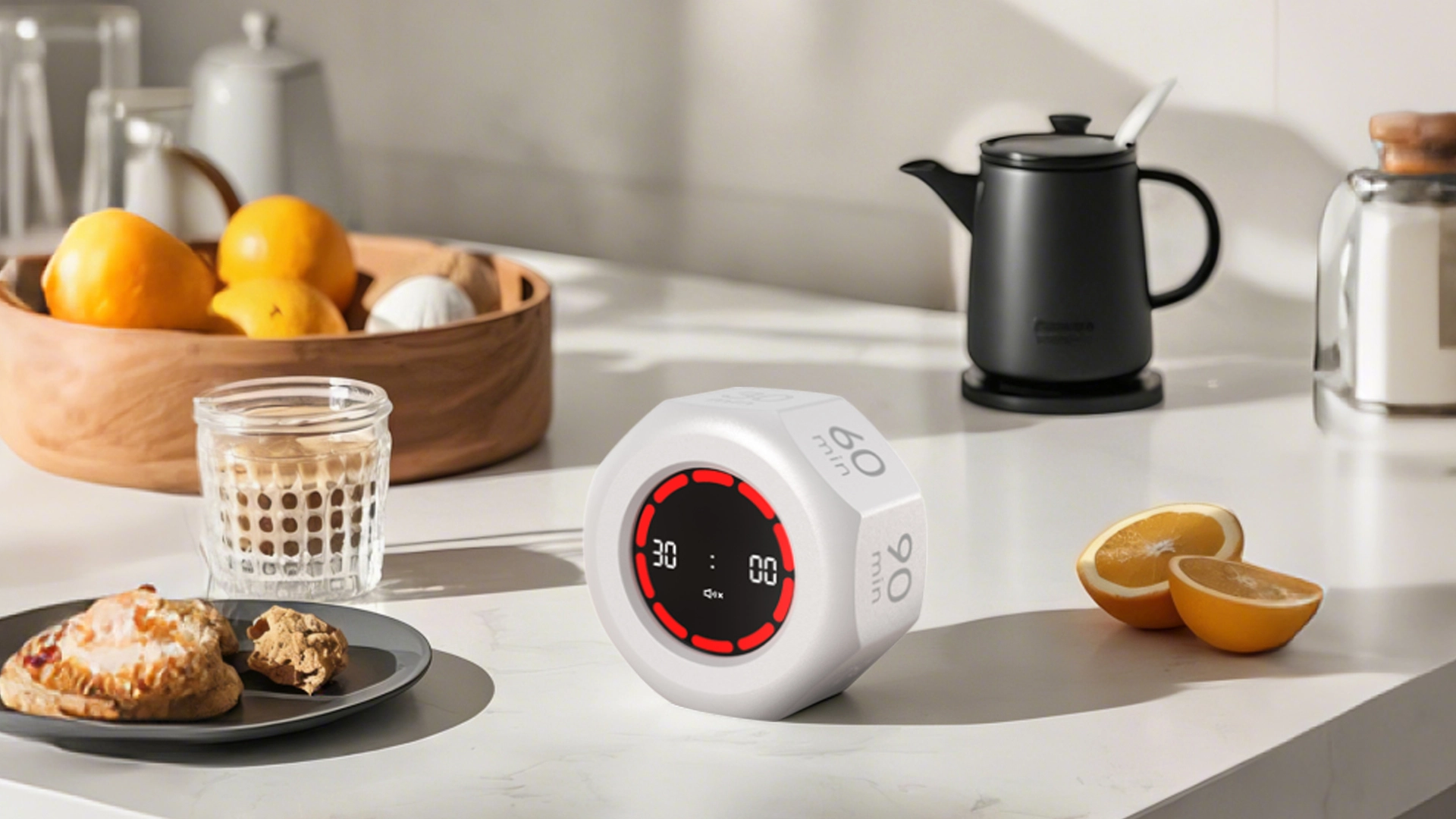
- Visual-only mode: Confirm the timer can run with auditory alerts disabled. Many visual timers and classroom timers offer a silent mode or a purely visual countdown that uses a color disk or LED ring.
- High-contrast visual display: Choose devices with a large, color-coded countdown (red/amber/green segments or a shrinking color disk). Visual clarity helps students with limited reading skills or language differences understand time remaining.
- Adjustable brightness and backlight: For sensory sensitivity, the ability to dim LEDs or disable backlight is crucial. Look for models with multiple brightness settings.
- Vibration or low-light cues as alternatives: For very noise-sensitive environments, some timers offer vibration (for the teacher's wearable) or subtle visual flashes versus loud tones.
How to evaluate before buying:
- Request a demo unit or short-term loan: Schools and camps can often arrange product demos from suppliers. Test in the actual classroom setting with sensory-sensitive children present if appropriate (with consent).
- Test battery-operated and plugged-in modes: If a unit is battery-powered, ensure silent operation is consistent across power states. Plug-in units sometimes have different alert settings.
- Measure visibility: Place the timer at the back of a typical classroom (or camp shelter) and verify the visual cue is readable at distance. Measure viewing distance and check contrast under sunlight if used outdoors.
- Check return policy: Buy from vendors with a 30-day return or classroom trial period to ensure the device suits your students' sensory needs.
2. How can I set up multiple digital timers for kids across learning stations without Wi‑Fi or cloud services?
Pain point: Many classrooms and camps lack reliable Wi‑Fi, and instructors need synchronized or staggered timing across stations without relying on apps or cloud services.
Practical approaches:
- Use standalone multi-preset timers: Look for portable interval timers with multiple independent countdown channels or the ability to run sequential presets. These let one teacher program time blocks for each station locally.
- Stagger start times with a master cue: Use a single visual countdown displayed centrally (a large visual timer) and individual portable timers at stations. Teachers start stations in staggered intervals (e.g., Station A starts at 0:00, Station B at 5:00) so a single master schedule coordinates flow without network sync.
- Employ physical cues and synchronized devices: If you have several identical timers, manually synchronize them by holding the start button simultaneously or by using a short audio/visual cue from the teacher (flashlight or clap). For better precision, test synchronization beforehand.
- Label and preset devices: Pre-program each timer with the intended interval (e.g., 12 min literacy, 8 min STEM, 5 min transition) and label with station names. For camps, waterproof labels and lanyards prevent loss.
Checklist for purchases:
- Multiple preset memory slots
- Independent channel or interval mode
- Large readable display and visual cues
- Magnetic backing or scoreboard-style mounting for station visibility
3. What durability and battery specifications should I require for digital timers used in week-long outdoor camps?
Pain point: Outdoor camps expose devices to weather, drops, sand, and extended multi-day use where recharging opportunities may be limited.
Key specifications to require:
- Ingress protection: For outdoor use, target devices rated at least IP54 (splash-resistant) or IP65 (water jet resistant). An IP rating provides a standardized measure of dust/water resistance.
- Shock resistance: Confirm the casing is rubberized or ruggedized to withstand drops common in kid environments. MIL-STD claims exist for some devices—request test data if durability is a primary concern.
- Battery capacity and type: For a week-long camp, prefer timers with replaceable Alkaline (AA/AAA) options or long-life rechargeable Li-ion batteries. If relying on internal rechargeable batteries, check vendor-stated runtime (typical classroom visual timers run tens to hundreds of hours depending on brightness and sound settings). Always bring spare batteries or a charging bank.
- Sunlight readability: Choose displays with anti-glare and high-contrast digits or color disks; backlit LCDs or bright LED rings perform better outdoors.
- Mounting options and portability: Look for built-in stands, belt clips, lanyard holes, and strong magnets so timers can attach to tents, coolers, or metal surfaces.
Operational tips for camps:
- Run pre-camp battery and ruggedness tests: Simulate full-day usage to verify battery life and check for heat-related issues in direct sun.
- Bring spares and a charging plan: If devices are rechargeable, include portable power banks and a daily charging window with protected storage to extend lifespan.
- Use waterproof pouches: For rapid deployment and protection, keep timers in clear, water-resistant pouches that still allow visibility of the countdown.
4. How do I implement digital timers to reduce off-task behavior and ensure equitable time for groups with different reading or ability levels?
Pain point: Group tasks can become inequitable when faster groups dominate time or when students with different reading levels need different amounts of time to complete the same task.
Design strategies:
- Use differentiated time blocks: Instead of allocating equal time to each group, preset station timers for the time each station realistically needs. For example, allow longer durations at the reading station and shorter cycles at a recreation station.
- Adopt color-coded visual timers per group: Assign a timer color to each group that matches their task card. Visual cues reduce confusion and make transitions faster.
- Implement 'soft stop' cues: Use a two-stage countdown (e.g., visual disk + 1-minute amber warning) to give students a clear transition cue without abrupt interruptions.
- Teach time-awareness skills: Spend two or three lessons explicitly teaching students to check visual timers and self-manage time. The goal is to build time management, not just control behavior.
Measurement and fairness:
- Collect simple metrics: Track number of completed tasks, on-task observation intervals (e.g., 2-minute checks), or work samples across several sessions to compare outcomes pre/post-timer implementation.
- Adjust presets based on data: If students with lower reading fluency consistently cannot finish tasks, increase that station’s preset. Use data-driven adjustments rather than one-size-fits-all timing.
- Ensure inclusive cueing: For students with IEPs, consider additional supports (modified task length, one-to-one checkpoints) and document the accommodations in IEP plans.
5. Which kid-friendly digital timers integrate with smartphones/tablets for presets and logging while remaining screen-free for students?
Pain point: Teachers want preset management and usage logs for planning and reporting but want students to remain screen-free during lessons and camp activities.
Integration patterns to consider:
- Teacher-app-to-device pairing: Some portable classroom timers offer a companion app that lets the teacher configure presets, set multi-interval sequences, and export logs. The physical timer then runs independently so kids see only the visual countdown.
- Bluetooth/local connection (no cloud): Prefer Bluetooth or local direct connections to avoid relying on cloud services and to preserve privacy. This keeps student-facing devices screen-free while enabling teacher control from a phone or tablet.
- Data logging and export: If you need documentation for pedagogical assessment or camp scheduling reports, look for timers that can export simple CSV logs of session start/end times, durations, and number of cycles.
Privacy and procurement notes:
- Confirm data policies: If the device logs usage, request details on what is stored locally vs. sent to cloud servers. For schools bound by student privacy regulations, prefer local-only logging or vendor contracts that comply with applicable laws.
- Battery & offline redundancy: Ensure the timer can run independent of the app in case the teacher’s phone dies; the app should be a convenience, not a dependency.
6. How can I adapt digital timers for IEP accommodations and reliably document effectiveness for educators and camp directors?
Pain point: Administrators require documented accommodations and objective evidence that timers help meet individual education plans (IEPs) or behavior intervention plans (BIPs).
Steps to adapt and document:
- Specify the accommodation: In the IEP/BIP, state the exact timer feature requested (e.g., student will use a visual countdown timer with a 1-minute warning light and silent mode for transitions). Being explicit makes procurement and implementation straightforward.
- Choose measurable goals: Define outcomes such as student transitions to a new activity within 60 seconds on 4 of 5 opportunities or student completes X task segments independently in 3 of 4 trials.
- Use baseline and ongoing data collection: Collect 1–2 weeks of baseline data without the timer, then introduce the timer and collect the same measures for a defined trial period. Use concise logs (date, activity, time allowed, completion status, on-task percentage) that can be exported if the timer supports logging.
- Document fidelity of use: Record how the timer is being used (settings, location, teacher prompts) to ensure consistent implementation. This helps differentiate device effectiveness from inconsistent application.
- Communicate with families: Share visuals and simple how-tos so families can replicate strategies at home if appropriate, increasing generalization of time-management skills.
Procurement tip for districts and camps: when purchasing for special education use, include a trial period clause and require vendor documentation of privacy and warranty. Devices with replaceable batteries, protective housings, and easily readable visual disks typically provide the best mix of reliability and accessibility.
Concluding advantages
Digital timers for kids—especially visual timers and portable classroom timers—deliver consistent behavioral cues, improve time awareness, and streamline rotations in both classrooms and camps. When you select kid-friendly timers with silent modes, rugged design, preset memory, and optional teacher-app integration (local/Bluetooth), you reduce disruptions, support differentiated instruction, and create measurable routines that help all learners succeed while simplifying camp schedule management.
For pricing, bulk quotes, demo units, and specification sheets tailored to your school's or camp's needs, contact us at www.youbenlife.com or info@youbenlife.com for a quote.
Contacts
Sofia
WhatsApp/Phone
All
Do you offer OEM & ODM clock services?
Yes, we provide both OEM & ODM solutions, allowing clients to customize clock design, materials, packaging, and branding.
What types of clocks can you manufacture?
We manufacture a wide range of clocks, including wall clocks, desk clocks, digital clocks, and smart clocks.
Can I customize the clock design and logo?
Absolutely. We offer customization for clock appearance, structure, materials, and logo printing to perfectly match your brand.
What is the minimum order quantity (MOQ)?
Our standard MOQ varies depending on the model, usually starting from 200–500 pieces. Custom designs may require different quantities.
How do you ensure product quality?
All clocks undergo strict quality control, including time accuracy tests, durability checks, and packaging inspections before shipment.
Interested in this article?
Let’s talk.
Need specifications, pricing, or customization options? We’ll provide everything you need.
By clicking “Submit,” you agree to share your information with our authorized team to process your request.
Your data will only be used for necessary communication and support.

Youben life
Youben life