October 30, 2025

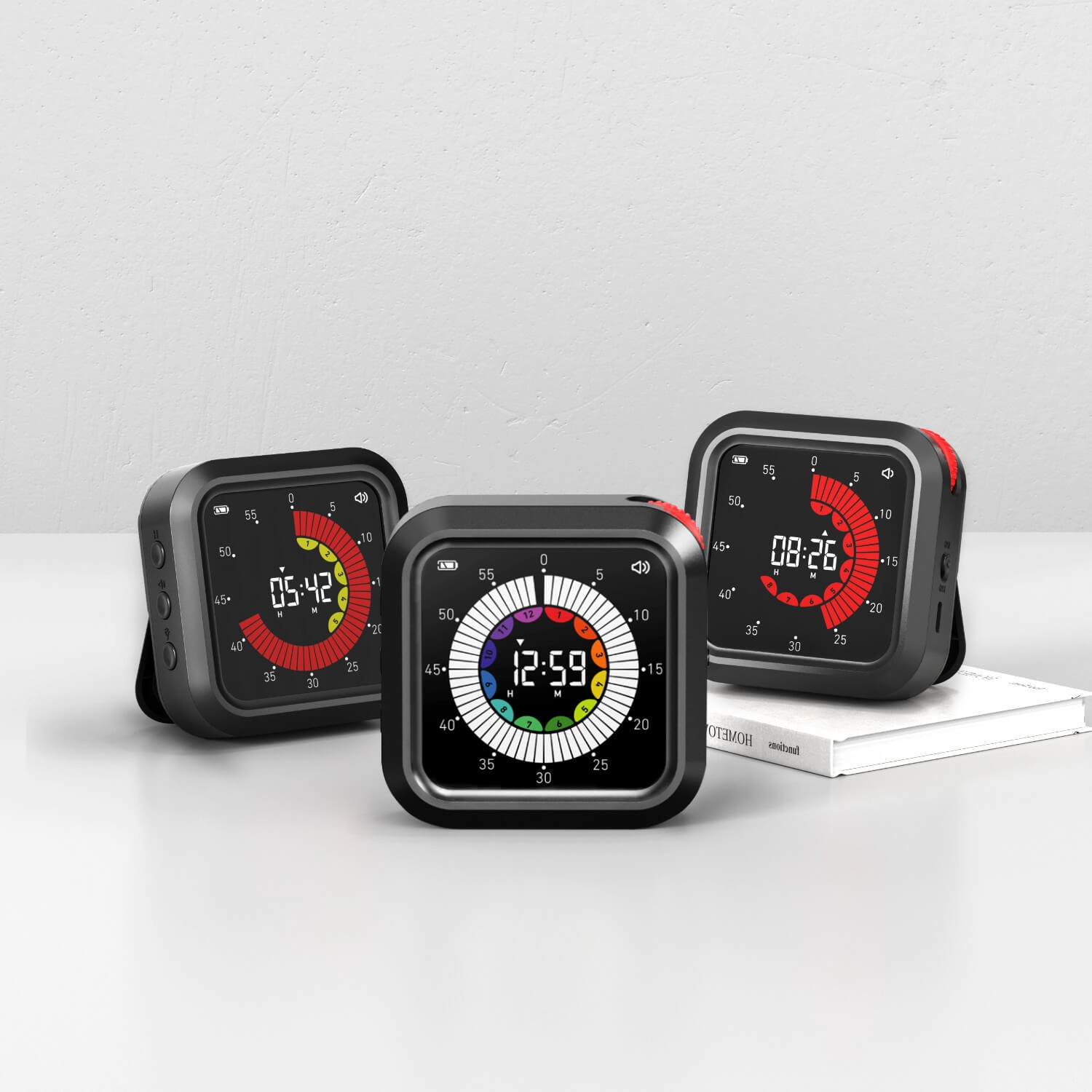
X-JSQ016 Magnetic back digital visual Time progress bar timer for study kitchen cooking: Global Enterprises & Wholesale Custom

Explore the X-JSQ016 magnetic back digital progress bar timer from Youben Life, ideal for study, kitchen, and cooking. Learn how this OEM/ODM timer helps global enterprises and wholesalers manage time efficiently and boost productivity.
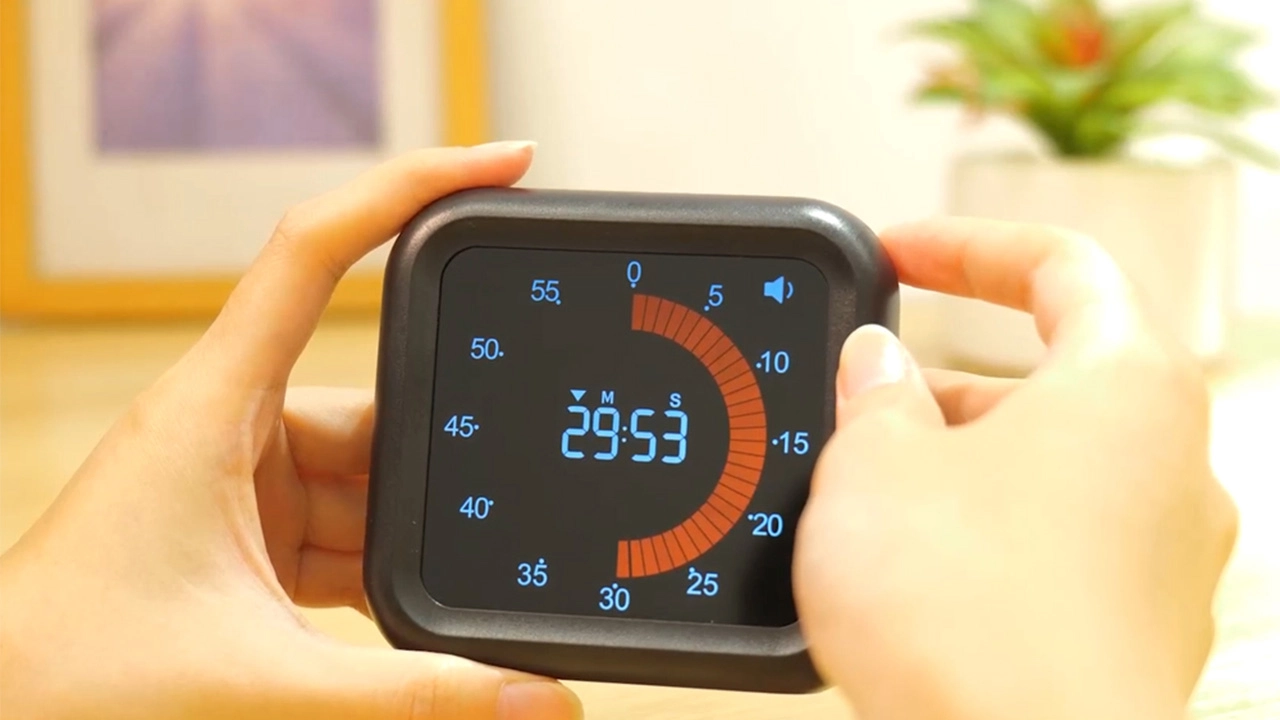
X-JSQ016-Magnetic-back-digital-visual-Time-progress-bar-timer-for-study-kitchen-cooking - Youben life

X-JSQ016 Timer Usage Guide

Buttons Overview​​

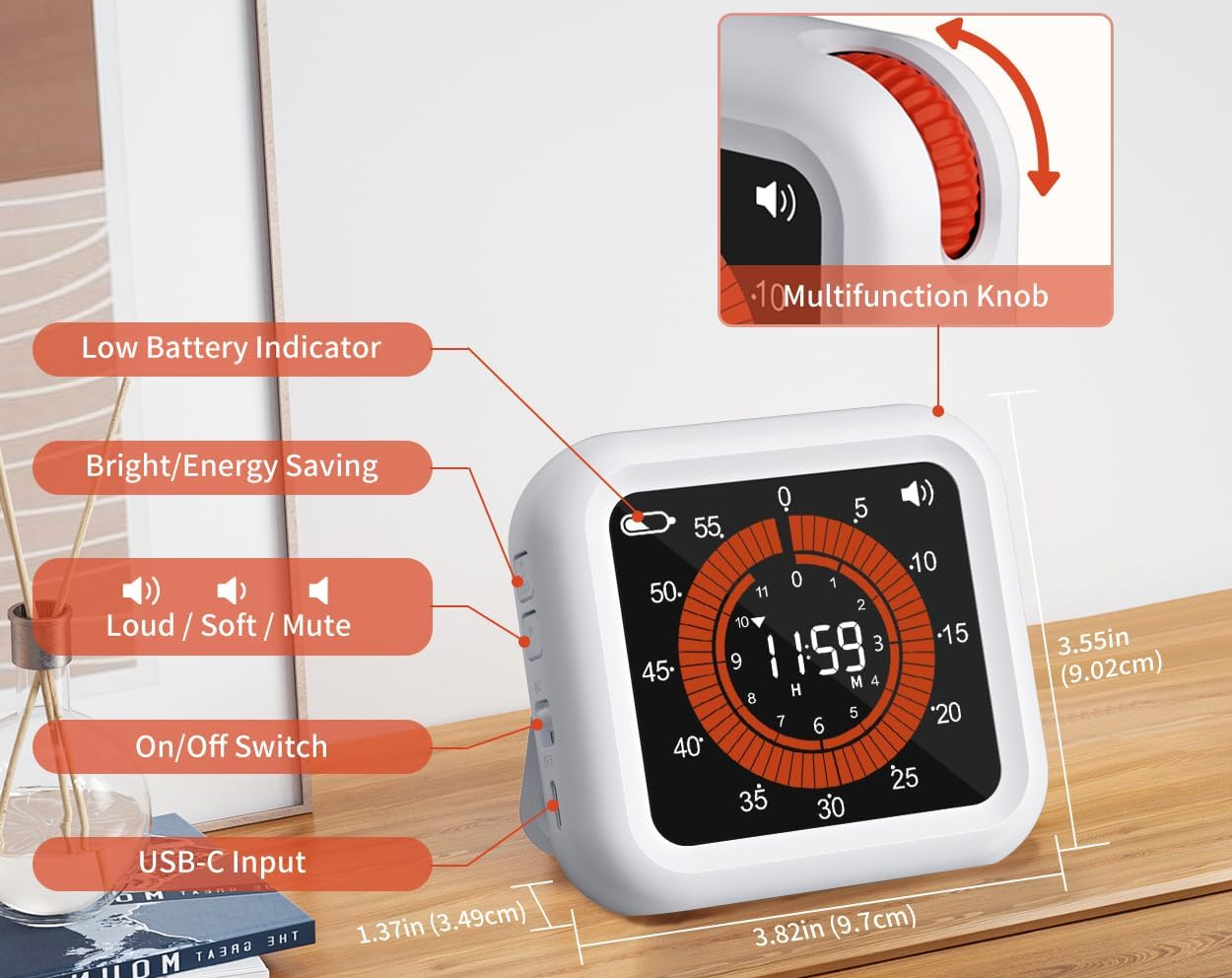
The X-JSQ016 features a ​​left button​​ (multi-function) and an ​​upper right rotation button​​ (primary control for timing).

​​Button​​

​​Functions​​

​​Left Button​​

– ​​Power​​: Turn the device on/off.


– ​​ECO​​: Adjust backlight brightness (bright ↔ dark).


– ​​Volume​​: Adjust sound (max → min → mute).

​​Upper Right Rotation Button​​

Controls timing (start/pause/reset for forward/countdown timers).


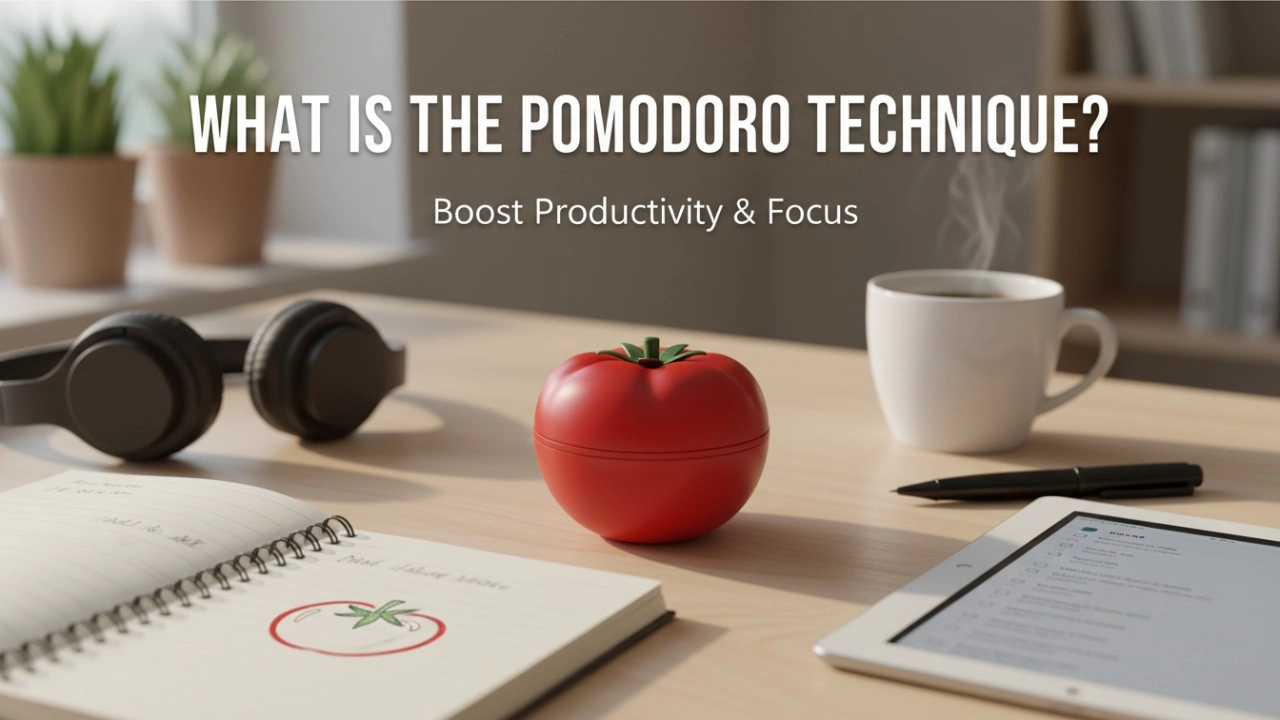
X-JSQ016 pomodoro tecjnique timer


1. Power Button (Left Button)​​

· ​​Turn On​​: Press the left button to power up the device.

· ​​Turn Off​​: Press the left button again to power down.

​​2. Forward Timing (Count-Up Timer)​​

Use this mode to track elapsed time (e.g., 1s, 2s, 3s, 5s, 10s, 20s, 30s, minutes, hours).

· ​​Start​​:

1. Power on the device.

2. Briefly press the ​​upper right rotation button​​ to begin counting up from “00:00:00” (hours:minutes:seconds).

· ​​Pause​​: Press the upper right rotation button again to stop counting.

· ​​Reset​​:

1. With the timer paused, hold down the upper right rotation button.

2. Release to reset the timer back to “00:00:00”.

​​3. Countdown Timer​​

Set a specific time to count down (e.g., 30s, 1min, 5min, 10min, 30min, 1h, etc.).

· ​​Set Time​​:

· ​​5-Second Increments​​: Slowly rotate the upper right rotation button ​​clockwise​​ (→) to add 5 seconds at a time (e.g., 5s → 10s → 15s…).

· ​​Minutes/Hours​​: Rotate the button ​​quickly​​ clockwise to skip to larger increments (e.g., 1min, 5min, 10min, 1h, etc.).

· ​​Initial State Limit​​: If starting from the initial (unadjusted) state, rotate the button ​​slowly counterclockwise​​ (←) to set a maximum of ​​11 hours and 59 minutes​​ (11:59:00 max).

· ​​Start​​: After setting the desired countdown time, press the upper right rotation button to begin the countdown.

· ​​Pause​​: Press the upper right rotation button again to pause the countdown.

· ​​Reset​​:

1. With the countdown paused, hold down the upper right rotation button.

2. Release to reset to the previously set countdown time (or return to the initial state if no prior setting).

​​4. ECO Button (Left Button – Backlight Control)​​

· Press the left button to toggle the backlight between ​​bright​​ (full illumination) and ​​dark​​ (dimmed) modes. Useful for low-light environments.

​​5. Volume Button (Left Button – Sound Control)​​

Adjust the device’s sound (e.g., alarm/beep volume):

· ​​First Press​​: Increase volume to maximum.

· ​​Second Press​​: Decrease volume to minimum.

· ​​Third Press​​: Mute the sound (press again to unmute).


Key Notes:

· The ​​upper right rotation button​​ is the primary control for all timing functions (start/pause/reset). Use slow/counterclockwise rotation for precise adjustments (5s increments or max 11:59:00 in initial state).

· The ​​left button​​ cycles through power, ECO, and volume functions—press it to switch between these modes.

· Forward timing always starts from “00:00:00” and counts upward until paused or powered off.

Contacts

WhatsApp/Phone

Recommended for you
Blog
Crafting Tomorrow's Kitchen: Your Guide to OEM Digital Kitchen Timers in 2025
December 11, 25
Crafting Tomorrow's Kitchen: Your Guide to OEM Digital Kitchen Timers in 2025
Blog
OEM Tomato Timers: The Definitive Guide to Branded Productivity for 2026
December 23, 25
OEM Tomato Timers: The Definitive Guide to Branded Productivity for 2026
Digital Kitchen Timers Manufacturing - Youben life
Blog
The Definitive Guide to Digital Kitchen Timers Manufacturing: Innovations & Partners for 2025
December 10, 25
The Definitive Guide to Digital Kitchen Timers Manufacturing: Innovations & Partners for 2025
Knowledge
Learning Timers: The New Trend of Guiding Children to Complete Tasks with High Quality in the Era of Premium Education
October 31, 25
Learning Timers: The New Trend of Guiding Children to Complete Tasks with High Quality in the Era of Premium Education
Blog
21 Best Custom Kitchen Timers for 2026: Beyond the Basic Logo [Expert Review]
January 13, 26
21 Best Custom Kitchen Timers for 2026: Beyond the Basic Logo [Expert Review]
Prdoucts Categories
FAQ
All
Do you offer OEM & ODM clock services?

Yes, we provide both OEM & ODM solutions, allowing clients to customize clock design, materials, packaging, and branding.

What types of clocks can you manufacture?

We manufacture a wide range of clocks, including wall clocks, desk clocks, digital clocks, and smart clocks.

Can I customize the clock design and logo?

Absolutely. We offer customization for clock appearance, structure, materials, and logo printing to perfectly match your brand.

What is the minimum order quantity (MOQ)?

Our standard MOQ varies depending on the model, usually starting from 200–500 pieces. Custom designs may require different quantities.

How do you ensure product quality?

All clocks undergo strict quality control, including time accuracy tests, durability checks, and packaging inspections before shipment.
You may also like
X-NZ010 Premium OEM LED Table Clock — Thermo‑Hygro Sensor, 24‑Hour Calendar & Color Customization
Custom Table LED Colorful Digital Visual 24-Hour Alarm Clock Daylight Savings Calendar Thermometer Hygrometer Sensor Clock
X-WSDJ013 OEM Weather Projection Clock — LED Display with Thermometer, Hygrometer & Barometer
Custom USB Powered Desktop Smart Digital LED Wireless Room Projection Alarm Clock Indoor Outdoor Calendar Weather Thermometer Hygrometer Barometer
X-NZ014 OEM USB Projection Alarm Clock — LED Display, Thermo Sensor & 24-Hour Time
Custom USB Powered Bedroom Bedside Smart LED Digital Visual Ceiling Projector Thermometer Sensor Alarm Clock with Projection Time Temperature Display

Interested in this article? 

Let’s talk.

Need specifications, pricing, or customization options? We’ll provide everything you need.

Please enter your name not exceed 100 characters
The email format is not correct or exceed 100 characters, Please reenter!
Please enter a valid phone number!
Please enter your field_1251 not exceed 150 characters
Please enter your content not exceed 3000 characters

By clicking “Submit,” you agree to share your information with our authorized team to process your request.

Your data will only be used for necessary communication and support.

Contact customer service

Hello. Let’s design the right solution for your needs.

To begin, please share your basic needs, and our team will create a tailored plan that fits your business perfectly.

Please enter your name not exceed 100 characters
The email format is not correct or exceed 100 characters, Please reenter!
Please enter a valid phone number!
Please enter your field_1251 not exceed 150 characters
Please enter your content not exceed 3000 characters

By clicking “Submit,” you agree to share your information with our authorized team to process your request. Your data will only be used for necessary communication and support.

Hello. Let’s prepare a custom quote for your project.

To begin, please share a few product details, and our team will respond with tailored pricing and solutions.

Please enter your name not exceed 100 characters
The email format is not correct or exceed 100 characters, Please reenter!
Please enter a valid phone number!
Please enter your field_1251 not exceed 150 characters
Please enter your content not exceed 3000 characters

By clicking “Submit,” you agree to share your information with our authorized team to process your request. Your data will only be used for necessary communication and support.

Hi there. Let’s talk about what you need.

Just answer a few quick questions, and you’ll be connected with our team for instant support and personalized guidance.

Please enter your name not exceed 100 characters
The email format is not correct or exceed 100 characters, Please reenter!
Please enter a valid phone number!
Please enter your field_1251 not exceed 150 characters
Please enter your content not exceed 3000 characters

By clicking “Submit,” you agree to share your information with our authorized team to process your request. Your data will only be used for necessary communication and support.