
What is the ROI of adopting study timer smart in education?
- 1) How can we quantify learning gains attributable specifically to a smart study timer versus other interventions?
- 2) What is the ROI of adopting a study timer smart in education — and how to estimate it for our district in year 1?
- 3) How do we integrate smart study timers with our LMS (Canvas/Moodle) while ensuring FERPA/GDPR compliance?
- 4) Which hardware specs and features matter most to avoid 'timer distraction' and guarantee classroom durability?
- 5) How should we customize adaptive scheduling algorithms for different grade levels and subject types?
- 6) How do we interpret study session analytics to inform curriculum changes and teacher interventions?
Adopting a smart study timer (digital timer, interval timer, or study session analytics device) requires both pedagogical and procurement clarity. Below are six long-tail, pain-point-focused questions beginners ask but seldom find detailed answers to online. Each question is followed by an evidence-based, actionable answer you can use when evaluating products or building an ROI case.
1) How can we quantify learning gains attributable specifically to a smart study timer versus other interventions?
Why this matters: Schools and districts often deploy multiple programs (tutoring, new curricula, edtech). Procurement teams need a reproducible approach to isolate the effect of a smart study timer — not just a belief that “it helped.”
Answer — framework and steps:
- Define measurable outcomes up front. Choose 2–3 direct metrics tied to time management and learning: time-on-task (minutes per class or homework session), assignment completion rate, and short-cycle assessment score gains (weekly quizzes).
- Use a quasi-experimental design where randomized control is impossible. Two practical approaches: staggered roll-out (stepped-wedge) or matched-pair classrooms. Both reduce confounding by comparing similar cohorts over the same timeframe.
- Collect baseline data for 4–6 weeks before deployment. Capture the chosen metrics plus context variables: teacher, subject, class size, and prior attainment.
- Instrument the timer for analytics. Ensure the device/app logs session start/stop, interruptions, break adherence, and whether students follow recommended intervals (Pomodoro or custom schedules). Combine these logs with LMS or gradebook data via LTI/API to link sessions to outcomes.
- Analyze using difference-in-differences (DiD) or mixed-effects models. DiD will estimate the average treatment effect while accounting for pre-existing trends. Mixed-effects models let you model classroom and teacher-level random effects.
- Report effect sizes and confidence intervals, not only p-values. For practitioners, an increase of 10–15 minutes of effective time-on-task per study session with a medium effect size (Cohen’s d ≈ 0.4) is educationally meaningful.
Practical note: Correlate improved session adherence (digital timer logs) with assessment improvements. If increased adherence co-occurs with score gains in the treatment group only, attribution to the timer is more plausible.
2) What is the ROI of adopting a study timer smart in education — and how to estimate it for our district in year 1?
Why this matters: Budget holders ask “show me the money.” ROI needs to connect pedagogical benefits to financial outcomes or cost-avoidance (reduced tutoring, higher graduation rates, better throughput).
Answer — ROI model with clear assumptions and an example calculation:
ROI methodology (real-world, reproducible):
- Step 1 — Identify financial levers: reduced external tutoring hours, saved teacher remediation time, improved retention/graduation-related funding, and reduced behavior-management time.
- Step 2 — Quantify base values: number of students, average hourly cost for tutoring (or teacher time), and current baseline of remediation/tutoring hours per student per year.
- Step 3 — Estimate conservative effect sizes from timermanagement improvements. Use pilot data or published effect sizes for time-on-task interventions (many classroom time-on-task interventions produce 0.2–0.5 SD improvements when well-implemented).
- Step 4 — Translate learning improvements into financial outcomes. Example: Reduced need for 1:1 tutoring hours or summer remediation; improved test results that reduce retakes.
- Step 5 — Calculate ROI = (Estimated annual benefits − Annualized cost of timers and implementation) / Annualized cost.
Example (conservative, transparent assumptions):
- District: 1,000 middle-school students.
- Average external tutoring cost (or internal remediation cost equivalence): $30/hour.
- Baseline remediation/tutoring usage estimate: 0.5 hours/student/month = 6 hours/year.
- Pilot shows timer adoption reduces remediation need by 10% in year 1 (0.6 hours saved/student/year) via better study habits and fewer missed assignments.
- Value of hours saved = 1,000 students × 0.6 hours × $30 = $18,000/year.
- Implementation cost: hardware+software license+training = $50 per student initial, annual licensing and support $10/student thereafter. Annualized Year-1 cost ≈ $60 × 1,000 = $60,000.
- Year-1 ROI = ($18,000 − $60,000) / $60,000 = −70% (negative in first-year for these assumptions). However, this ignores non-financial benefits (assessment gains, improved graduation prospects) and multi-year amortization.
Multi-year view matters: If the timer's effect grows (adoption levers, teacher coaching, 30% reduction in remediation by year 3), Year-3 annual benefit = 1,000 × (6 × 30%) × $30 = $54,000, and annualized cost might drop (hardware amortized). At that point ROI can turn positive.
Key takeaways:
- First-year ROI often looks weak if you measure only immediate tutoring cost savings. Include assessment-improvement monetization (e.g., reduced retention, higher funding tied to outcomes) and multi-year benefits.
- Run a pilot with well-defined KPIs and use that data for district-specific ROI. Avoid extrapolating vendor marketing claims without local validation.
3) How do we integrate smart study timers with our LMS (Canvas/Moodle) while ensuring FERPA/GDPR compliance?
Why this matters: District IT teams must protect student data and avoid siloed analytics. Integration increases value (link session logs to grades) but raises privacy and legal requirements.
Answer — integration checklist and privacy controls:
- Prefer standards-based integration: Look for LTI (Learning Tools Interoperability) compatibility for single sign-on and roster syncing. SCORM and xAPI can be useful for content and activity logging; xAPI (Tin Can) is particularly suited for detailed session events.
- Authentication and SSO: Use SAML or OAuth2-based SSO to avoid separate accounts. This reduces identity mismatch and simplifies FERPA access controls.
- Data minimization: Log only what you need. Useful fields: anonymized student ID, session start/end timestamps, session type (study/quiz), duration, and adherence flags. Avoid logging keystrokes, raw audio, or PII beyond school IDs.
- Data residency & export: Ensure the vendor provides data residency options and export rights. For GDPR, be sure there is a Data Processing Agreement (DPA); for FERPA, confirm the vendor is a school-authorized contractor with clear data-use restrictions.
- Access controls & dashboards: Provide role-based dashboards (teacher, admin) with aggregated analytics. Limit raw session logs to authorized personnel and keep audit logs of access.
- Vendor due diligence: Ask vendors for SOC 2 reports, privacy policy aligned with FERPA/GDPR, and a DPA. Validate that the vendor’s ML models (if any) are trained only on de-identified data unless explicit consent exists.
Implementation tip: Pilot integration on one LMS course and audit the data flows end-to-end before district-wide roll-out. This mitigates scope creep and ensures compliance checkpoints are addressed early.
4) Which hardware specs and features matter most to avoid 'timer distraction' and guarantee classroom durability?
Why this matters: Cheap digital timers cause glitches, frequent charging, distracting alerts, or breakage — all of which reduce adoption and effectiveness.
Answer — procurement checklist for classroom-grade digital timers:
- Battery life: Target ≥10 hours continuous use or removable batteries with quick swap capability. Long battery life prevents mid-day shutdowns that disrupt study sessions.
- Alert modalities: Provide subtle notifications (visual LED bar, vibration) plus optional sound. Loud or complex chimes are distracting; choose units with teacher-controlled volume and mute schedules.
- Display & legibility: High-contrast display (LCD/OLED) with configurable font sizes for distance visibility. Backlight auto-dim helps low-light use without glare.
- Physical controls: Large tactile buttons or hardware lock to prevent accidental resets. A lock or admin PIN prevents students from changing schedules mid-session.
- Connectivity: Wi‑Fi + Bluetooth for syncing and firmware updates. USB-C charging and local offline mode (logs cached locally) ensure reliability when networks drop.
- Build quality: Reinforced casing (ABS/PC blends), rubber bumpers, and spill resistance. Ask vendors for MTBF data or return rates for school deployments. If outdoor or active-use environments are likely, request IP54 or better rating.
- Manageability: Central device management (over-the-air updates, configuration profiles) reduces maintenance overhead for IT teams.
- Accessibility: Tactile cues and screen-reader API support help students with disabilities. Ensure compliance with accessibility standards in your region (e.g., WCAG-compatible app controls).
Buying tip: Prioritize teacher workflow and classroom ergonomics over extra gamified features; simplicity raises adoption rates.
5) How should we customize adaptive scheduling algorithms for different grade levels and subject types?
Why this matters: “One-size-fits-all” schedules (e.g., standard Pomodoro) are suboptimal across ages and subjects. Middle schoolers or lab-based science classes need different pacing than high-school math.
Answer — algorithmic design principles and concrete presets:
- Start with evidence-based presets: Elementary — shorter focus windows (15–20 minutes) with longer reflection activities; Middle grades — 20–30 minutes; High school — 25–50 minutes for deeper work. Use Pomodoro variants (e.g., 25/5) as a baseline but adapt intervals.
- Subject-adaptive rules: For problem-solving subjects (math), prefer longer uninterrupted windows (35–50 minutes) to allow deeper cognitive flow. For reading or vocabulary, interleaved short sessions (20 minutes) with spaced repetition and retrieval practice work better.
- Incorporate spaced repetition and SM-2 compatibility for memory tasks. The SM-2 algorithm (used by Anki) and its family are proven for long-term retention and can be integrated for vocabulary and facts.
- Personalization layers: Allow teachers/students to set preferred intervals initially, then use simple reinforcement learning (e.g., bandit algorithms) to adapt schedules based on completion rates and short-assessment performance. Keep models transparent — avoid opaque black-box recommendations.
- Grade-level constraints: Limit self-adjustments for younger students; enforce teacher-supervised schedules in elementary contexts to build habit scaffolding.
- Feedback loops: Use short post-session micro-surveys (1–2 taps) to capture perceived focus and fatigue, and feed that into scheduling heuristics to avoid overloading students.
Implementation note: Measure schedule effectiveness by comparing on-task time, assignment completion, and short-assessment improvements across presets. Iterate monthly, not weekly.
6) How do we interpret study session analytics to inform curriculum changes and teacher interventions?
Why this matters: Raw logs are useless unless translated into actionable insights for curriculum managers and teachers.
Answer — analytics taxonomy and action playbook:
- Key metrics to track (and why):
- Median session length and distribution — shows whether students can sustain the intended study interval.
- Pomodoro adherence rate (or schedule adherence) — percentage of sessions where students follow planned intervals without early termination.
- Time-on-task vs. passive time — pair timer logs with engagement signals (quiz activity, keystrokes in LMS) to differentiate active study from idle time.
- Session consistency (days/week) — habit formation indicator; inconsistent patterns often predict low retention.
- Correlation matrix: session adherence vs. assessment improvements — highlights subjects or units where the timer impacts outcomes most.
- Action map for teachers and curriculum leads:
- Low adherence, high content difficulty: introduce scaffolded micro-tasks or split sessions into skill-building and application phases.
- High adherence, no score gains: review task alignment. Students may be following the timer but studying the wrong activities — adjust formative tasks.
- High variability across students: implement targeted coaching for low-adherence students and pair them with peer-study buddies to reinforce routines.
- Subject-level patterns: If one subject shows sustained gains, replicate its study design templates across other subjects.
- Visualization & dashboards: Use funnel visualizations (assigned → started → completed → assessed) and cohort comparisons (by teacher, class, or prior attainment). Exportable CSVs enable deeper analysis with mixed-effect models if needed.
Privacy-sensitive reporting: Share only aggregated classroom-level insights with students; reserve student-level dashboards for teachers and guardians per your privacy policy.
Conclusion — summarizing the advantages of smart study timers:
Smart study timers (digital timers and interval study apps) deliver measurable benefits when evaluated and implemented correctly: improved time-on-task, clearer study routines, and actionable session analytics that feed teacher interventions. For procurement teams, the value comes from device manageability, integration with LMS standards (LTI/xAPI), privacy-compliant telemetry, and hardware reliability that minimizes classroom disruption. Measuring ROI requires a multi-year perspective and locally collected pilot data — immediate cost savings may be modest, but pedagogical gains and reduced remediation over time typically justify adoption.
Contact us for a quote and pilot plan at www.youbenlife.com or email info@youbenlife.com.
Contacts
Sofia
WhatsApp/Phone

All
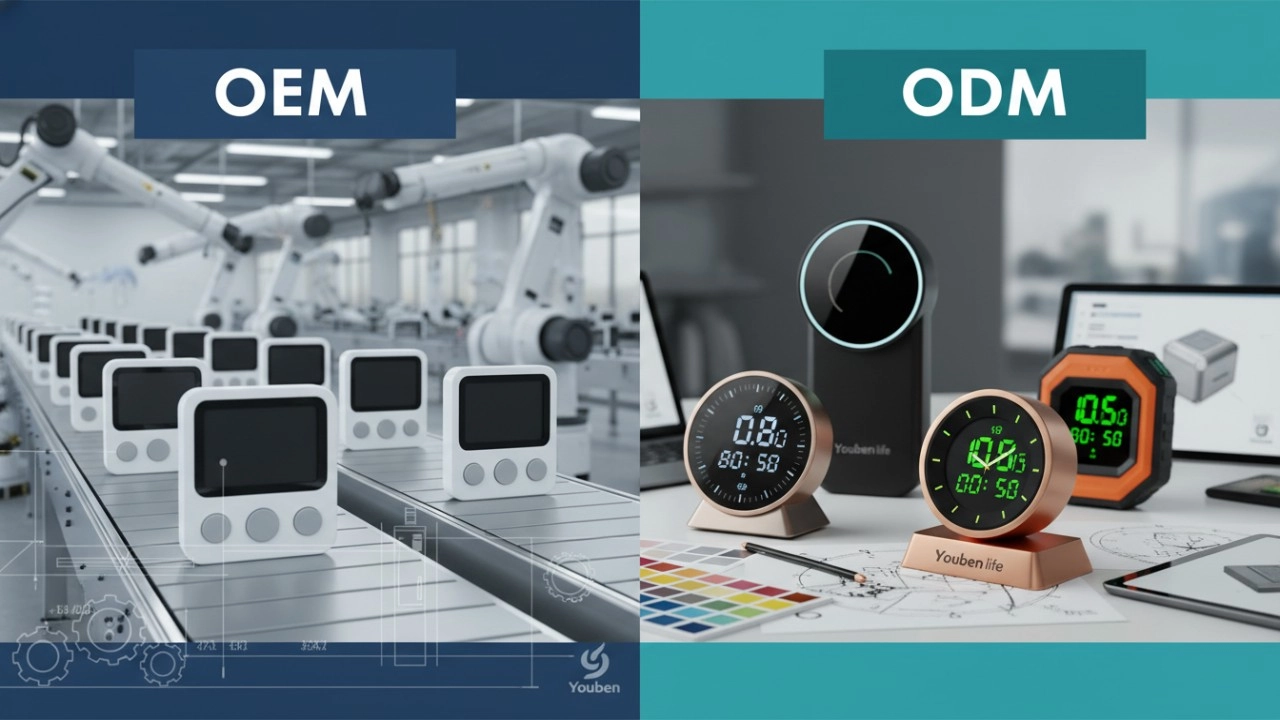
Do you offer OEM & ODM clock services?
Yes, we provide both OEM & ODM solutions, allowing clients to customize clock design, materials, packaging, and branding.
What types of clocks can you manufacture?
We manufacture a wide range of clocks, including wall clocks, desk clocks, digital clocks, and smart clocks.
Can I customize the clock design and logo?
Absolutely. We offer customization for clock appearance, structure, materials, and logo printing to perfectly match your brand.
What is the minimum order quantity (MOQ)?
Our standard MOQ varies depending on the model, usually starting from 200–500 pieces. Custom designs may require different quantities.
How do you ensure product quality?
All clocks undergo strict quality control, including time accuracy tests, durability checks, and packaging inspections before shipment.
Interested in this article?
Let’s talk.
Need specifications, pricing, or customization options? We’ll provide everything you need.
By clicking “Submit,” you agree to share your information with our authorized team to process your request.
Your data will only be used for necessary communication and support.

Youben life
Youben life